
When you pick a good IPTV subscription for yourself or for your family, you are not just picking a list of channels. You are also choosing a picture quality that you will look at every single day. If you pay money every month, you want the picture to look good on your TV, not blurry or stuck buffering all the time.
In this post, you will learn what HD and 4K really mean. You will also learn what messes with your picture quality, and what you should check before you buy any IPTV subscription plan. We are keeping this simple and easy to follow.
A lot of people get excited about the channel list first. They forget to think about picture quality until they are already watching a show and it looks bad. By the end of this post, you will know what to check and what to ask before you sign up for anything.
What Does Streaming Quality Actually Mean?
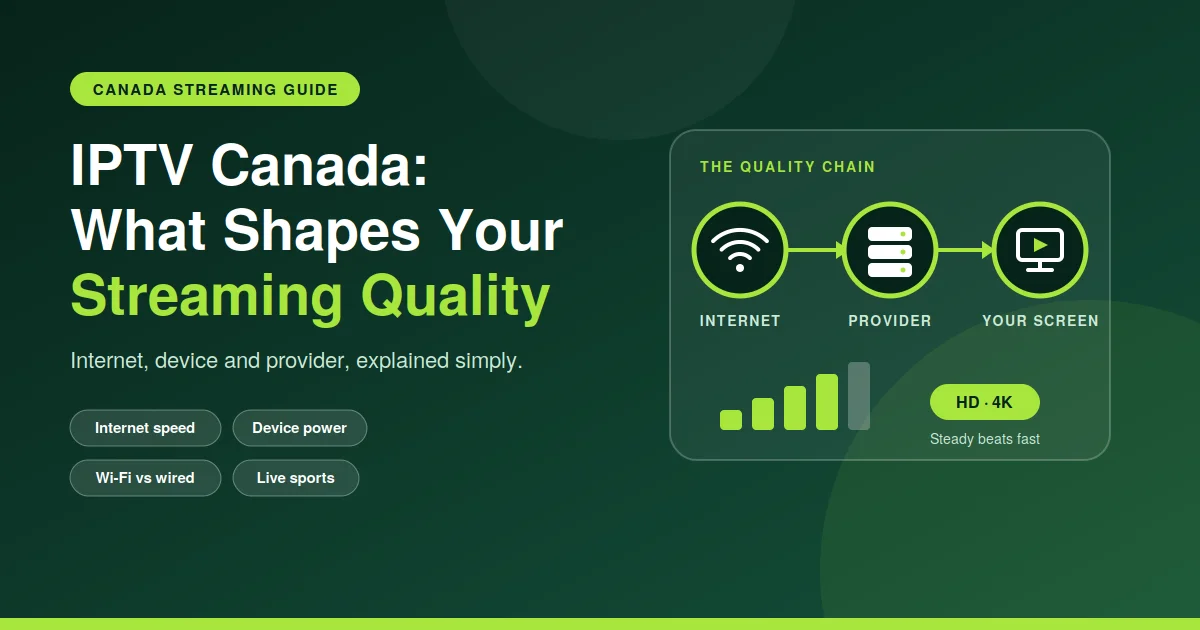
Streaming quality means how clear and smooth your picture looks while you watch. It depends on three things working together. Those three things are resolution, bitrate, and your internet speed. A good IPTV subscription gets all three things right, so you are not stuck watching a blurry screen.
Resolution tells you how many small dots, called pixels, make up your picture. More pixels give you a sharper picture. Bitrate tells you how much data gets sent to your screen every second. A higher bitrate usually gives you more detail, but your internet needs to be fast enough to keep up with it.
You can think of resolution like the size of a piece of paper. Bitrate is like how much color you use to fill that paper. If you have a big piece of paper but very little color, the picture still looks thin and empty. You need both things to be good at the same time.
HD vs 4K: What Is The Real Difference?
HD stands for high definition. It is the quality that most people already know and use. It looks pretty clean on most TVs, and it does not need super fast internet to work well. 4K is also called Ultra HD. It has four times more pixels than HD, so it looks very sharp, especially on a big TV screen.
The problem with 4K is that it needs a much stronger internet connection to work without any lag. If your internet is not fast enough, a 4K stream can freeze or drop down to a lower quality in the middle of your show. That is annoying if you are paying extra money for a good IPTV subscription and it still keeps freezing on you.
There is also SD, which stands for standard definition. Many people forget this one even exists. It is the lowest quality option, and it uses the least amount of data. It does not look great on a big screen, but it can work fine as a backup when your internet is having a bad day.
Here is a simple table to help you understand it better.
| Quality | Resolution | Recommended Speed | Best For |
| SD | 480p | 3-5 Mbps | Small screens, slow internet |
| HD | 720p-1080p | 10-15 Mbps | Most TVs and daily watching |
| 4K | 2160p | 25+ Mbps | Big screens, home theaters |
What Affects Your Streaming Quality?
Before you blame your IPTV subscription for a bad picture, it helps to know what could be going wrong on your end. A few small things can make a really big difference in how smooth your channels play.
- Your internet speed and how steady it stays during busy hours
- The device you use to watch, and how old that device is
- Your Wi-Fi signal strength, or a wired cable instead
- The app or player that you use to watch your channels
- How many other devices are using your internet at the same time
If your picture keeps buffering or dropping quality, it is usually one of these things and not the service itself. You can test your internet speed and try a wired connection instead of Wi-Fi. Both of these fixes solve a lot of common streaming problems very quickly.
Weather can also cause problems if you use satellite internet at home. Busy evening hours, when a lot of people near you are streaming too, can slow your connection down as well. None of this means your plan is broken. It just means the network is a bit busy at that moment.
Does Your Device Matter?
Yes, your device really does matter. Not every device can handle 4K, even if your internet is super fast. Older smart TVs, cheap streaming boxes, and some phones simply cannot process 4K video the right way. Your picture might drop down to a lower quality without you even noticing why.
Before you choose a plan, you should check if your TV, box, or app actually supports the resolution you want to watch. We explain all of this, plus other common questions about playback, in our quality/device FAQ. It walks you through device details in a simple way.
An easy way to check this yourself is to look inside your device settings menu. Most smart TVs and streaming boxes will show you the highest resolution they support. If the settings only show 1080p as the top option, then streaming in 4K on that device will not help you at all.
Tips To Get The Best Picture
Getting the best picture out of your IPTV subscription usually comes down to a few simple habits. You do not need to spend extra money on expensive upgrades. Small changes can make a real difference in how clear your channels look every day of the week.
- Restart your router and your streaming device once in a while
- Use a wired connection instead of Wi-Fi whenever you can
- Close other apps or downloads that are running in the background
- Keep your streaming app updated to the newest version
- Move your router closer to your streaming device if you are able to
These steps sound very basic, but they fix most of the problems that people run into. A stable connection along with an updated app usually gives you the smoothest picture without spending any extra money at all.
You should also run a quick speed test before you start watching, especially if you plan to stream in 4K. This test takes less than one minute, and it tells you right away if your internet can actually handle the quality that you are paying for.
Choosing The Right Plan For Your Setup
Not everyone needs 4K. If you mostly watch on a small screen or a laptop, HD is probably more than enough and won’t stress your internet. If you’ve got a big screen and fast internet at home, 4K through your IPTV subscription can actually feel like a different show.
It also depends on how many people in your house are streaming at once. A few 4K streams running together need way more bandwidth than one HD stream. Think about how your house actually uses streaming before picking a tier.
If your house is mostly casual watching with the odd movie night, HD usually makes more sense than jumping straight to the top tier. You can always upgrade later once you know how your internet holds up.
Prices can change depending on the quality tier and how many connections you need. Worth comparing plans before you commit to one. Check out all the current options, including 4K tiers, on our pricing page, where it’s all laid out clearly.
Common Mistakes People Make
A lot of streaming complaints have nothing to do with the IPTV subscription itself. People expect 4K on a connection that just can’t handle it, or they’re using an old device that was never built for high resolution in the first place.
Another mistake is running too many devices on one connection at once. Even a decent home internet plan struggles when a few 4K streams run at the same time. Spacing out your streaming or upgrading your internet plan sorts this out quick.
Some people forget to restart their router or app after an update, and that alone causes weird playback glitches. Sounds too simple to matter, but a quick restart clears out little errors that pile up over days of use.
Final Thoughts
Picture quality on any IPTV subscription really comes down to three things working together: your resolution choice, your internet speed, and your device. Get those lined up right, and you get a smooth, sharp picture without the constant buffering and guessing.
If you want a sharper picture, it’s worth checking what tier actually fits your setup. Check 4K plan availability before you upgrade, so you know your internet and your device can actually handle the quality you’d be paying for.
Take a few minutes to test your speed and check what your device can handle before you switch anything. A little bit of checking now saves a lot of headache later, and you actually get what you’re paying for every day.